- DATE:
- AUTHOR:
- The Cotality LoanSafe Team
LoanSafe | Product Release
Note: Deployed to production on April 16, 2026, this note outlines the enhancements included in Release 042604 of the LoanSafe Suite.
1. Enhancements
Add View Details in the Alert Dashboard
New Client Watchlist Alerts based on Watchlist Category
Update Client Watchlist Display
2. Bug Fixes
Bug fix: Fix the Comparator for the Company Alias table
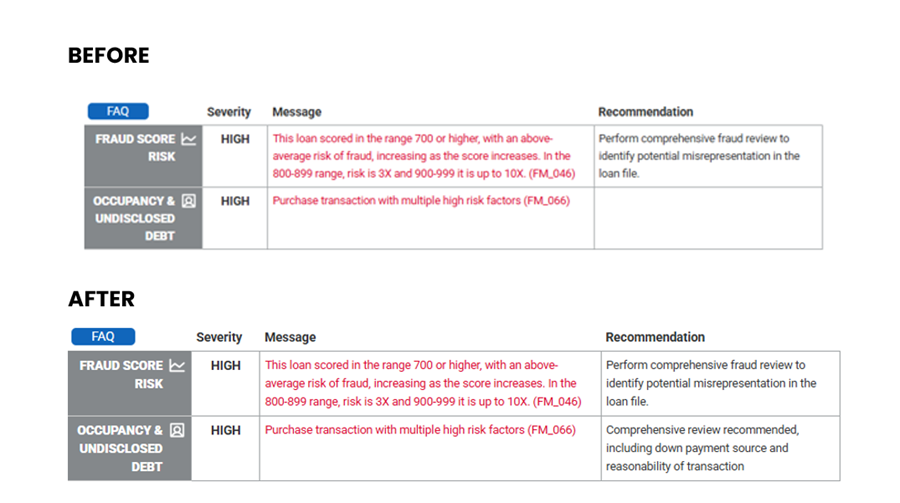
Bug fix: Recommendation for FM_066
1. Enhancements
Add a View Details link in the Alert Dashboard
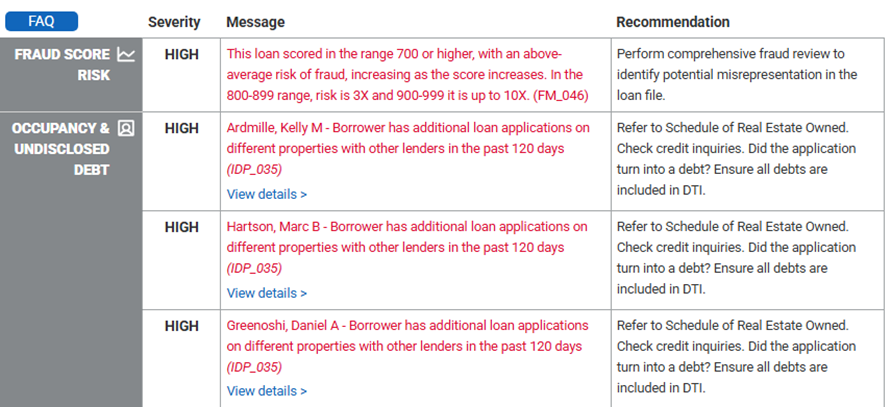
A “View Details” link has been added to the Alert Dashboard to make it more apparent that alert messages are clickable and allow users to navigate directly to the relevant section of the report. When enabled, the “View Details” link appears beneath applicable alert messages. Selecting the link takes the user to the corresponding section of the report where additional details are available.
This functionality is controlled by an account setting. The default setting is OFF. If you wish to enable this feature, please contact your Cotality Liaison.
Alert Dashboard where the setting is OFF
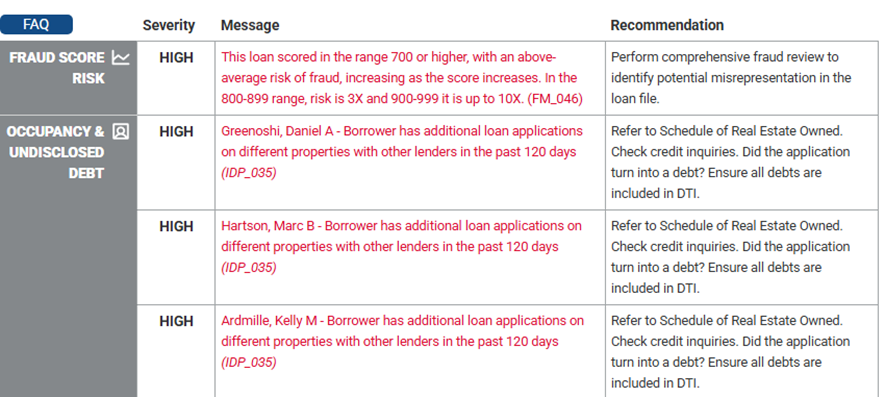
Alert Dashboard where the setting is ON
New Client Watchlist Alerts based on the Watchlist Category
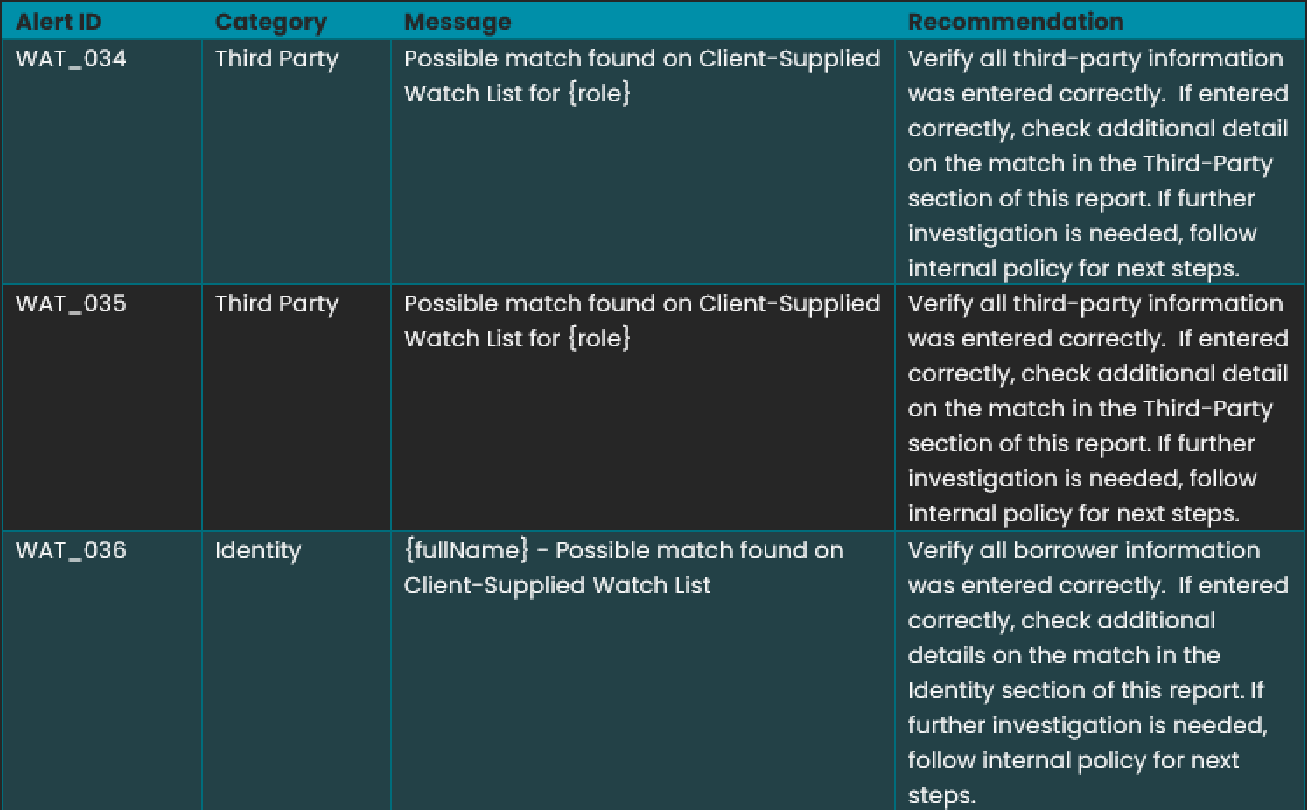
For clients who use a custom watchlist, alerts can now be configured by watchlist category. This enhancement introduces two Third-Party alerts and one Identity (Borrower) alert, enabling more targeted, relevant alerting.
How It Works
Please let your Cotality Liaison know what watchlist category you would like configured for these new alerts. An alert is triggered when the watchlist category matches an exact category on the client-supplied watchlist for the matched name. Note that Category matching is an exact match.
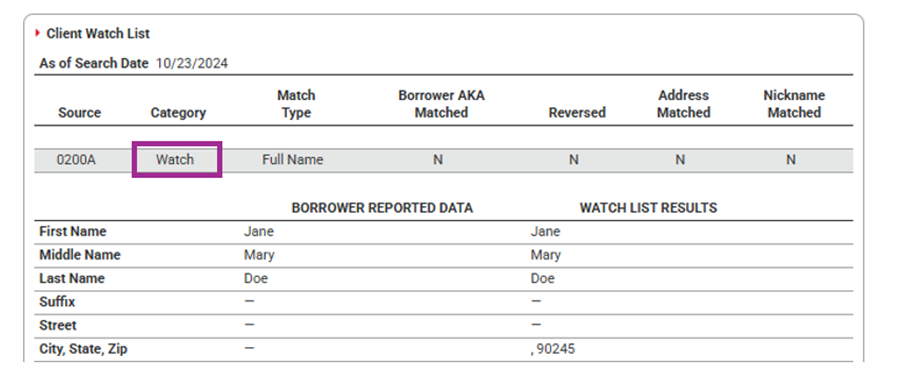
Alert Suppression Logic
When a new Client Watchlist alert is triggered, the corresponding existing Client Watchlist alert will be suppressed if it is associated with the same matched name.
WAT_036 suppresses WAT_018
WAT_034 and WAT_035 suppress WAT_023
This ensures clients receive the most specific and relevant alert without duplicates.
Update Client Watchlist Display
The Client Watchlist display has been updated to show additional identifying information when available.
What’s Changed
When a potential name match is identified and the watchlist record includes a Date of Birth and/or the last four digits of a Social Security Number, these data points will now be displayed in the Watchlist Results.
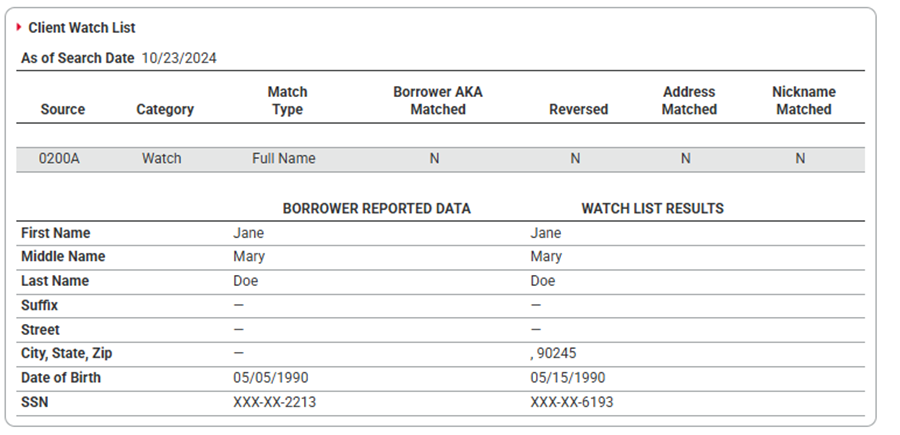
If one or both of these data points are not present, the corresponding labels will not be shown.
Important Details
If you wish for these items to appear, please add them to your client watchlist. The last 4 digits of the SSN should be included in the user3 field.
Although companies are not expected to have a Date of Birth or a Social Security Number, any data present in the watchlist record will be displayed as-is.
No additional filtering or data validation has been applied as part of this update.
This enhancement improves match transparency by surfacing available identifying details when they exist.
2. Bug Fixes
Fix the Comparator for the Company Alias table
LoanSafe uses a Company Alias table to improve company watchlist matching by normalizing common abbreviations and variations (for example, “Mtg” → “Mortgage”, “SVCS” → “Services”, “Assoc” → “Associates”).
What’s Changed
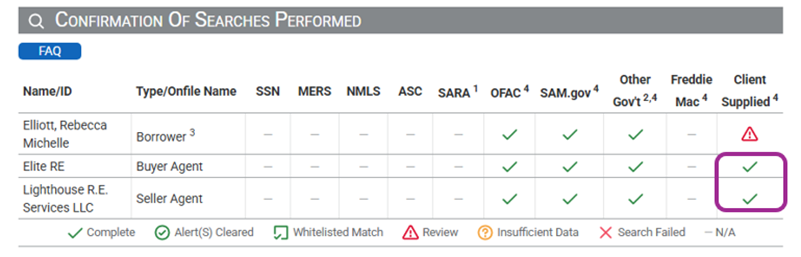
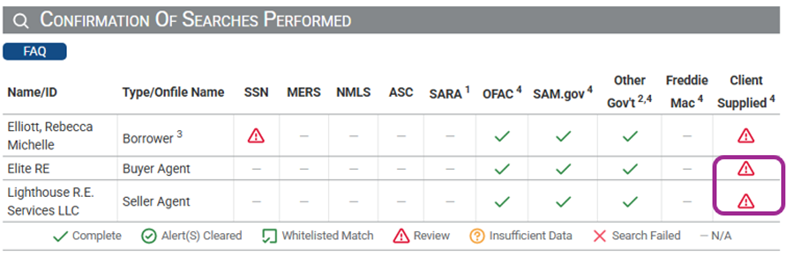
The alias comparator has been updated to include “RE” and “R.E.” as equivalents of “Real Estate.”
This enhancement ensures that company names using these abbreviations are properly evaluated as potential matches during watchlist screening.
Why This Matters
Previously, the absence of these alias entries could prevent legitimate potential watchlist matches from being identified.
With this update, matching behavior is now consistent before and after abbreviation normalization, improving accuracy and reducing false negatives.
Before the addition of RE & R.E.
After the addition of RE & R.E.
Recommendation for FM_066
When FM_066 (“Purchase transaction with multiple high risk factors”) was triggered, its recommendation text did not appear in the results table. The recommendation now displays as expected, providing complete review guidance to users.
Note: Because the LoanSafe Suite comprises LoanSafe Risk Manager, Fraud Manager, and Collateral Manager, all changes and additions apply to all versions of the LoanSafe report unless otherwise noted.
For more information on this release, contact your account representative or email [email protected].