- DATE:
- AUTHOR:
- The Cotality LoanSafe Team
LoanSafe | Product Release 06/16/2025
Targeted for production deployment in the early morning (1 a.m. PT) Jun. 16, 2025, this document provides information regarding enhancements in Release 062506 of the LoanSafe Suite.
Contents:
Enhancements
Alert Efficacy Review
Update NMLS Name Search
Update De-Dupe Logic for Loan Actors
Add DC to the Find a Settlement Agent in LoanSafe Connect
Provide the Ability to Turn the LoanSafe Connect Links Off in an LOS
Bug Fixes
Alaska: Add New Cross-Reference FIPS Code
Enhancements
Alert Efficacy Review
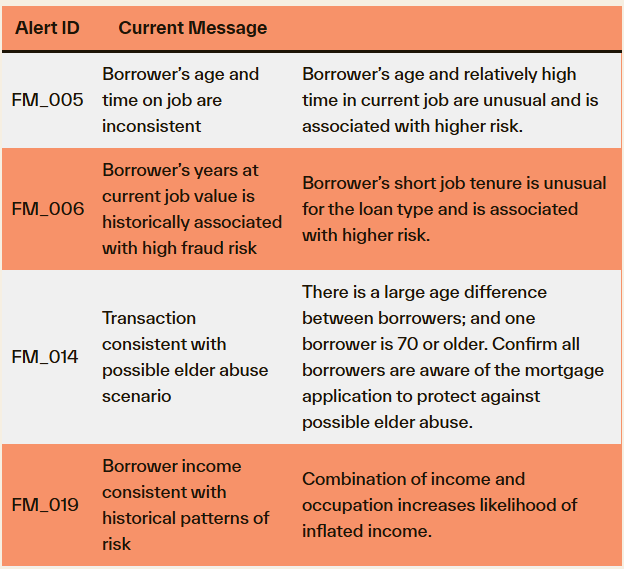
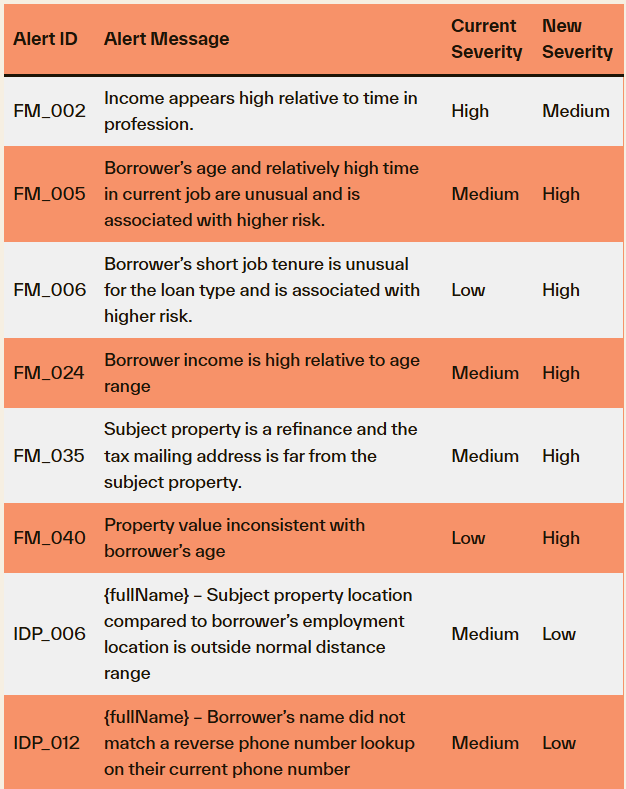
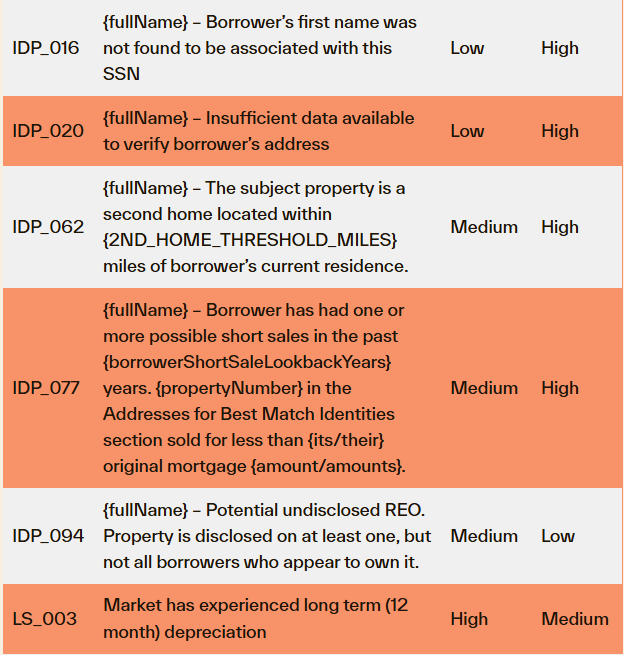
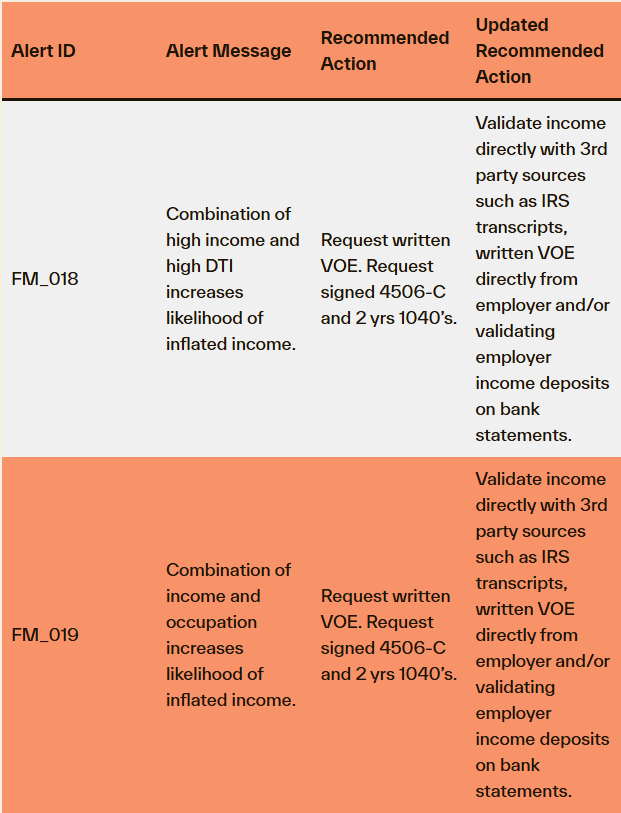
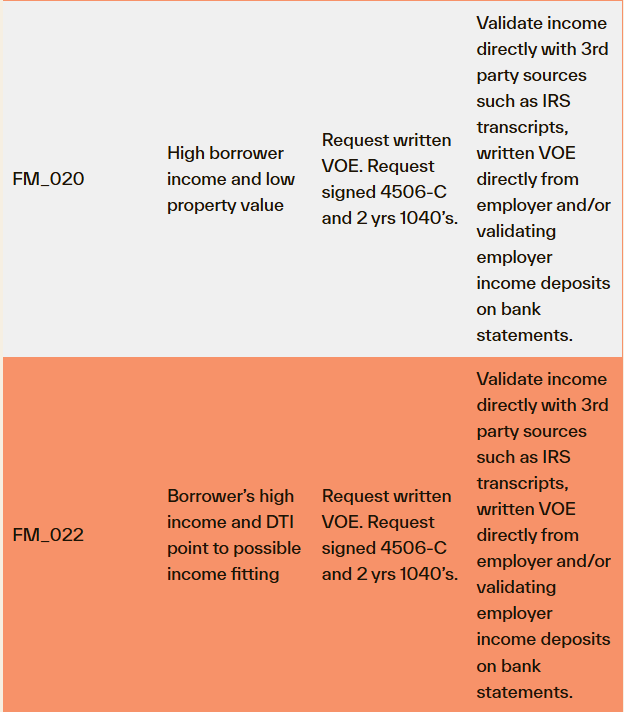
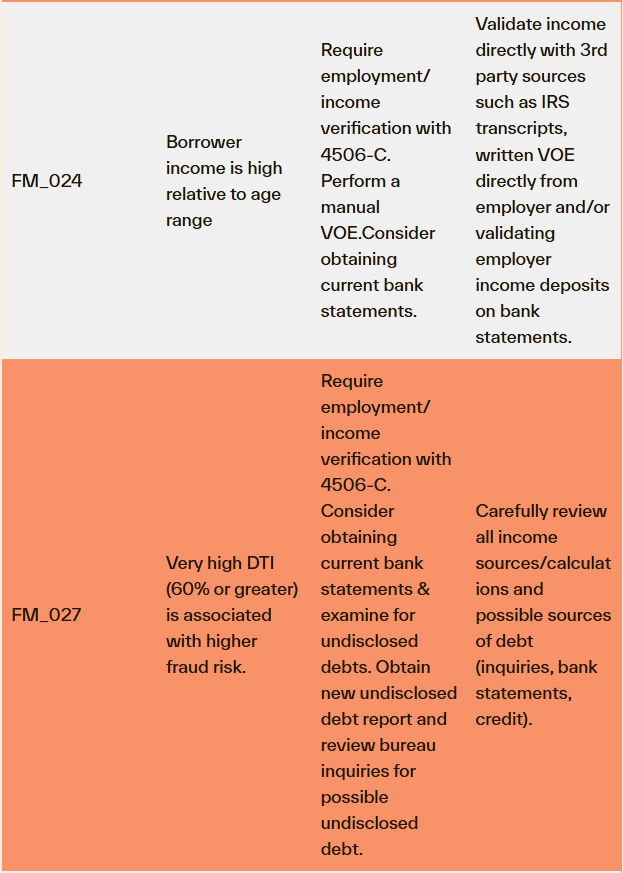
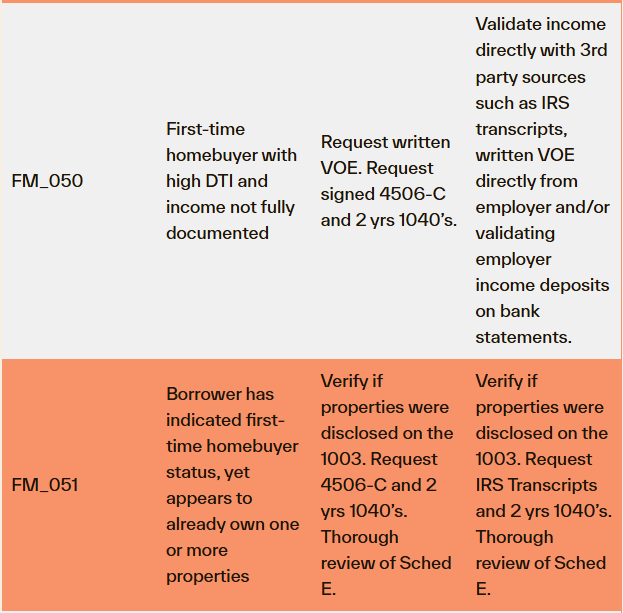
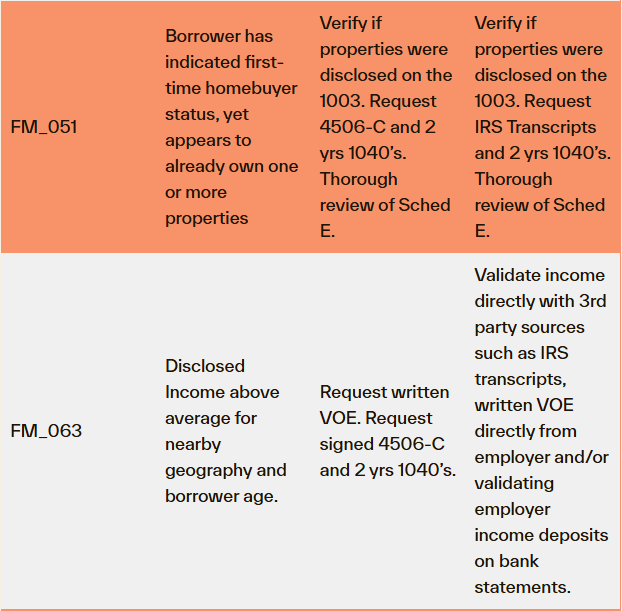
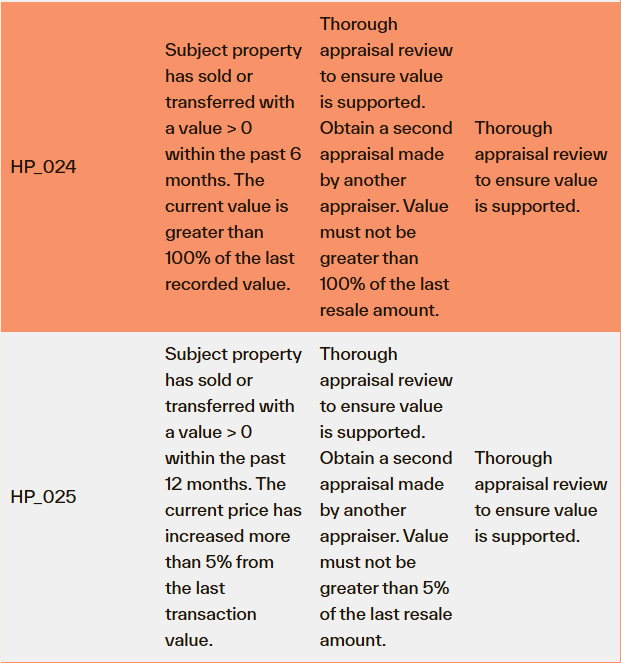
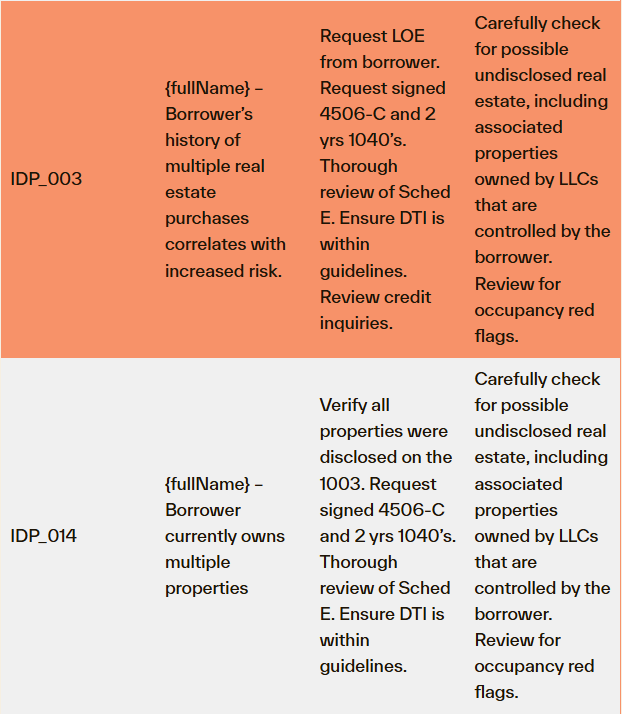
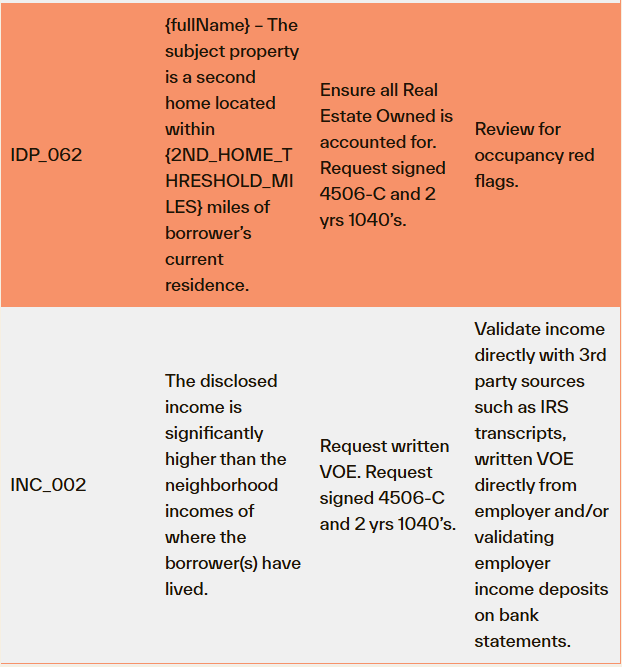
Cotality has completed an alert efficacy review, and we are updating 29 existing alerts for LoanSafe Fraud Manager, Risk Manager and Collateral Manager. Changes will affect the default alert settings for these alerts. This reflects the most current risk information to improve the efficiency of your fraud reviews. Below is a listing of the changes. Alert ID, New Message, New Default Severity and New Default Recommended Action.
Most clients are using the default configuration, and these changes will flow through with no action needed. However, if you are a client with a custom configuration, apart from the alert message, no other changes to alert behavior will pass through unless you update your settings in LoanSafe Connect.
Alert Message Updates
Default Severity Updates
Default Recommended Action Updates

Update NMLS Name Search
When the score changes on a rerun, the Compare Report tab displayed the changes incorrectly.
When the LoanSafe request contains a name and address for the Loan Officer but no NMLS ID, the search looks to match the name, city, state and zip5. When any data point doesn’t match, LoanSafe does not return anything. For example, the city in the request is “Fort Wayne” and the city in the NMLS database is “Ft Wayne” which don’t match. The match logic has been updated: When a name match is found, the logic will attempt to match state and zip5. If there is not a zip5 match, the logic will fall back to a name and state match. This will ensure results are returned.
BEFORE

AFTER:

Update De-Dupe Logic for Loan Actors
When deduping the loan actors from the Confirmation of Searches Performed, the middle name and suffix were not considered in the logic. This has been updated so both entries will display and be screened against the applicable watchlists.
Input:

BEFORE

AFTER

Add DC to Find a Settlement Agent in LoanSafe Connect
For those using SARA in LoanSafe, the Find a Settlement Agent feature in LoanSafe Connect was missing DC as a state. DC is now an option.

Provide the Ability to Turn the LoanSafe Connect Links Off for an LOS Client
When inside LoanSafe Connect via Encompass Partner Connect (EPC), clicking on a hyperlink will crash Encompass. The links can now be turned off. Please contact your Cotality liaison if you would like these turned off. ICE is working on a solution so the links will work.
Bug Fixes
Alaska: Add New Cross-Reference FIPS Code
The unorganized boroughs in Alaska fail our FIPS validation and return the following: The selected product is not available in this county. Running LoanSafe in these unorganized boroughs will no longer return the error.
Note: Because the LoanSafe Suite comprises LoanSafe Risk Manager, Fraud Manager and Collateral Manager, all changes and additions apply to all versions of the LoanSafe report unless otherwise noted.
For more information on this release contact your account representative or email [email protected].